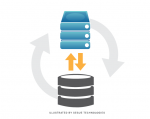
Service Discovery is a simple PHP command to collect and store AWS information such as EC2s and RDSs in the current region and save them with their credentials into an encrypted JSON file on S3. The script later notifies each service via SSH and executes the service discovery client on each instance. Each client downloads the JSON file and uses it to configure different applications. It can easily be automated through Rundeck or Jenkins to be executed after each deploy.
Service Discovery is part of AWS PHP Commands.
Usage:
> php console.php aws:services:discover -h
Usage:
  aws:services:discover [options]

Options:
  -f, --forceNotify[=FORCENOTIFY]          Force Notify [default: false]
  -e, --notifyOnly[=NOTIFYONLY]            Notify only one of dev,prod [default: false]
  -c, --continueOnError[=CONTINUEONERROR]  Continue to next EC2 on client failure [default: false]
  -h, --help                               Display this help message
  -q, --quiet                              Do not output any message
  -V, --version                            Display this application version
      --ansi                               Force ANSI output
      --no-ansi                            Disable ANSI output
  -n, --no-interaction                     Do not ask any interactive question
  -v|vv|vvv, --verbose                     Increase the verbosity of messages: 1 for normal output, 2 for more verbose output and 3 for debug

Help:
 Discovers services information and credentials.
Modify Security Groups Command is an easy to use command that you can add to your DevOps to allow adding/Removing IPs or CIDRs to AWS security groups for all protocol and ports. The command is part of AWS PHP Commands.
Usage:
> php console.php aws:security-groups:modify -h
Usage:
  aws:security-groups:modify [options]

Options:
  -c, --cidr=CIDR            CIDR ex: 64.18.0.0/20 [default: false]
  -o, --operation=OPERATION  Operation to perform, one of add or remove [default: "add"]
  -e, --env[=ENV]            Which security groups this should run on. One of prod, dev [default: "dev"]
  -h, --help                 Display this help message
  -q, --quiet                Do not output any message
  -V, --version              Display this application version
      --ansi                 Force ANSI output
      --no-ansi              Disable ANSI output
  -n, --no-interaction       Do not ask any interactive question
  -v|vv|vvv, --verbose       Increase the verbosity of messages: 1 for normal output, 2 for more verbose output and 3 for debug

Help:
 Adds/removes CIDRs to security groups.
If you are minifying scripts and css files using a caching plugin or using FastCGI cache then you might need to warmup your blog after purging your cache. This is a simple warm up cli script for WordPress to initiate cache or HHVM HHBC and making sure all pages/posts do not have errors. Additionally the script creates a urllist.txt file that you can use with siege to test load your server.
Sitemap Creator is a PHP class which creates XML sitemaps files compatible with the standard sitemaps.org protocol supported by Google and Bing.
Features
- Uses PHPCrawl class to crawl/spider the website and creates URLs set while all PHPCrawl methods and options are accessible through class.
- Ability to calculate Priority, Frequency and Last-Modified date with variety of options.
- Creates sitemaps in gzip format or uncompressed XML.
- Pings search engines with sitemaps locations.
- Reads from CSV files and exports entries in CSV format.
using vbulletin files :
chdir('/path/to/forum');
define('THIS_SCRIPT', 'login');
require_once( './global.php');
require_once( DIR . '/includes/functions_wysiwyg.php' );

echo convert_wysiwyg_html_to_bbcode('<i>hello world</i>');
using external function :